
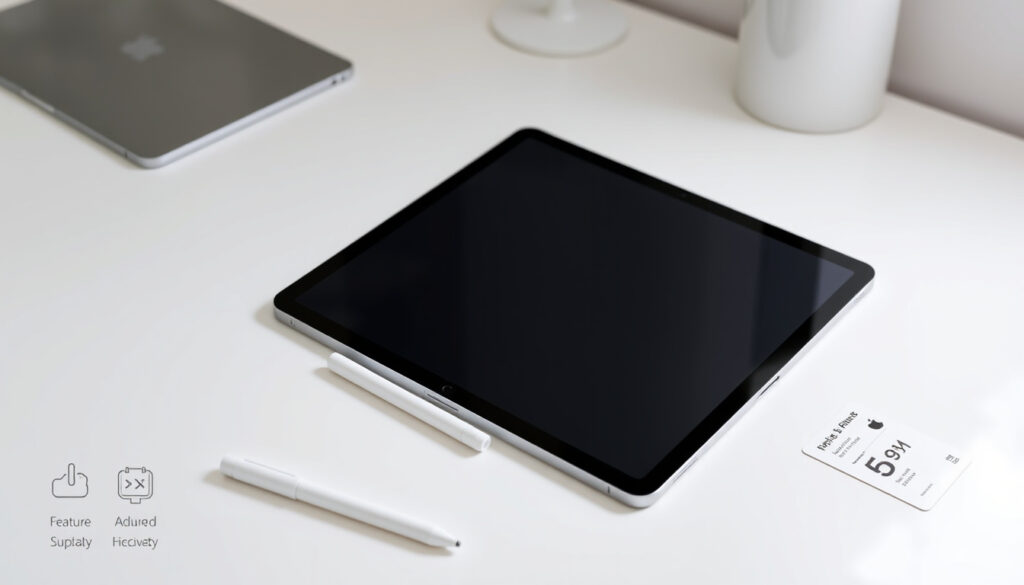
The Apple Pencil 2 represents a significant step forward in stylus technology, offering seamless magnetic pairing, wireless charging, and intuitive gesture controls that set it apart from its predecessor. Released in 2018 alongside the third-generation iPad Pro, this second-generation model has become the preferred tool for digital artists, note-takers, and productivity users across compatible iPad models.
Understanding which devices work with the Apple Pencil 2, how its features compare to alternatives, and whether it represents a worthwhile investment requires examining the technical specifications, compatibility constraints, and real-world usability in detail. This comprehensive guide covers everything potential buyers and current users need to know about Apple’s flagship stylus.
Which iPads Are Compatible with Apple Pencil 2?
The Apple Pencil 2 operates exclusively with a specific subset of iPad models, and compatibility cannot be expanded through software updates alone. The hardware requirements for magnetic pairing and wireless charging limit support to devices manufactured from 2018 onward that feature the necessary internal components.
The compatible iPad lineup includes the iPad mini (6th generation), iPad Air (4th and 5th generations), iPad Pro 11-inch (1st through 4th generations), and iPad Pro 12.9-inch (3rd through 6th generations). Users seeking to verify their specific model can navigate to Settings, then General, and finally About to locate the exact device designation.
Several iPad models explicitly do not support the Apple Pencil 2, despite running recent software versions. The standard iPad (6th through 10th generations) and iPad Air (3rd generation) use the Lightning connector and require the first-generation Apple Pencil instead. Additionally, 2024 and 2025 iPad releases featuring M4 or M5 chips, including newer iPad Pro and iPad Air variants, have moved to the Apple Pencil Pro or USB-C Pencil as their supported options.
- Double-tap gesture enables quick tool switching without touching the screen
- Pressure and tilt sensitivity provide natural drawing control in apps like Procreate
- Automatic pairing eliminates the need for manual Bluetooth configuration
- Hover functionality activates on iPad Pro models with M-series chips
- The flat edge magnetically attaches to the iPad for secure storage and charging
| Specification | Details |
|---|---|
| Model | Apple Pencil (2nd generation) |
| Weight | 20.7 grams |
| Dimensions | 166mm × 8.9mm |
| Compatible iPads | iPad mini 6th gen; iPad Air 4th/5th gen; iPad Pro 11″ (1st-4th gen); iPad Pro 12.9″ (3rd-6th gen) |
| Price | $129 USD |
| Battery | Up to 12 hours; 15-minute quick charge yields 30 minutes |
Apple Pencil 1 vs Apple Pencil 2: Key Differences
The generational gap between Apple’s stylus offerings extends beyond marketing distinctions into fundamental hardware and usability differences that directly impact the daily experience of iPad users. While both pencils share core functionality like pressure sensitivity and tilt detection, the second generation introduces convenience features that many users consider essential.
Charging and Pairing Mechanisms
The first-generation Apple Pencil relies on a Lightning connector hidden beneath a removable cap, requiring either the included adapter or direct connection to the iPad for charging. This design demands carrying additional accessories and creates potential for losing the cap during charging sessions. The second generation eliminates these concerns through magnetic wireless charging, automatically beginning the pairing process when attached to the iPad’s side.
Double-Tap Functionality
The double-tap gesture remains exclusive to the Apple Pencil 2, allowing users to quickly switch between the active tool and an alternate function such as an eraser or the previously used instrument. This feature proves particularly valuable during intensive creative sessions where interrupting workflow to access on-screen menus disrupts creative momentum.
Physical Design and Storage
A flattened edge distinguishes the second-generation Pencil from its cylindrical predecessor, serving both ergonomic purposes and enabling the magnetic attachment system. Users with the first-generation model report greater difficulty locating the stylus when set down, while second-generation owners appreciate the ability to attach it directly to the iPad for safekeeping and immediate accessibility.
These two Apple Pencil generations are not interchangeable. Attempting to use a second-generation Pencil with an iPad that requires the first generation will fail because of incompatible pairing, charging interfaces, and hardware requirements.
How to Pair and Charge Apple Pencil 2
Setting up the Apple Pencil 2 requires no technical expertise or manual configuration steps. The magnetic pairing system handles the entire process automatically, allowing users to begin working within seconds of removing the stylus from its packaging.
Pairing Process
For users with compatible iPad models, pairing begins by bringing the Apple Pencil 2 near the right side of the iPad where the magnetic charging surface is located. A notification appears on the iPad screen indicating that pairing is in progress, followed by confirmation once the connection establishes successfully. This pairing persists across restarts and remains stored within the iPad’s Bluetooth memory until manually unpaired.
Charging and Battery Management
The wireless charging mechanism delivers up to 12 hours of continuous use on a full charge, with the Pencil gaining approximately 30 minutes of battery life from a 15-minute charging session. When magnetically attached to the iPad, the Pencil charges continuously, ensuring consistent readiness for extended creative sessions or all-day note-taking.
Apple specifies up to 12 hours of battery life for the Apple Pencil 2, though real-world performance may vary based on usage intensity, screen brightness, and enabled features. The 15-minute quick-charge capability provides approximately 30 minutes of active use in emergency situations.
Troubleshooting Connection Issues
When the Apple Pencil 2 fails to pair or charge, verifying the iPad model compatibility represents the first troubleshooting step. If the device is confirmed compatible, removing the Pencil, restarting the iPad, and repeating the pairing process often resolves software-related connection failures. For persistent issues, unpairing through the Bluetooth settings menu and reinitiating the connection procedure may be necessary.
Apple Pencil 2 Price and Is It Worth Buying?
The Apple Pencil 2 retails at $129 USD, positioning it as a premium input device that costs more than many entry-level tablets but less than the most expensive iPad configurations. Price variations occur across different regions and retailers, with older stock occasionally appearing at discounted rates through third-party sellers.
Prices may vary by region and retailer. Prospective buyers should check the official Apple Store or authorized resellers for the most current pricing in their location.
Evaluating whether the Apple Pencil 2 represents a worthwhile investment depends largely on the user’s specific workflow and existing hardware. For owners of compatible iPads seeking the optimal stylus experience, the second generation delivers meaningful advantages over the first generation through its seamless charging, intuitive tool switching, and superior physical design. The magnetic attachment system alone provides significant practical value by ensuring the Pencil remains secure and charged without requiring separate storage or attention.
However, compatibility considerations create important caveats for prospective buyers. Users with 2024 or 2025 iPad releases should note that the Apple Pencil 2 does not support these newer models, making the USB-C Pencil at $79 or the Apple Pencil Pro the appropriate choices. Similarly, owners of older Lightning-based iPads should not purchase the second generation expecting software updates to extend support, as the limitation stems from hardware rather than software constraints.
The Apple Pencil 2 lacks support for 2024 and 2025 iPad releases featuring M4 or M5 chips, including newer iPad Pro and iPad Air variants. Buyers should verify their specific iPad model’s compatibility before purchasing.
For artists and note-takers using supported iPad Pro, iPad Air, or iPad mini models, the Apple Pencil 2 remains the preferred choice over the first generation despite the higher price, primarily due to the double-tap functionality and wireless charging convenience that meaningfully improve the daily user experience. For artists and note-takers using supported iPad Pro, iPad Air, or iPad mini models, the Apple Pencil 2 remains the preferred choice over the first generation despite the higher price, primarily due to the double-tap functionality and wireless charging convenience that meaningfully improve the daily user experience, and for those interested in gaming, you can find a Sims 4 cheats guide at $Sims 4 cheats guide.
Release Timeline and Model Evolution
Understanding the Apple Pencil 2’s position within Apple’s product roadmap helps contextualize its current relevance and expected longevity within the company’s ecosystem.
- 2018: Released alongside the third-generation iPad Pro, introducing magnetic pairing and wireless charging to the Apple Pencil lineup
- 2020: Expanded compatibility to include the fourth-generation iPad Air
- 2021: Added support for the iPad mini (6th generation)
- 2022-2023: Maintained compatibility through incremental iPad Pro and iPad Air refreshes
- 2024: Apple Pencil Pro introduced for M4 iPad Pro; USB-C Pencil launched as alternative option
Established Facts and Remaining Uncertainties
Several aspects of the Apple Pencil 2 ecosystem remain clearly documented through official sources, while others involve reasonable projections or unconfirmed details.
Confirmed information
- Compatible iPad models listed through official Apple support documentation
- Pressure sensitivity and tilt support across all generations
- Magnetic wireless charging exclusive to second generation
- Double-tap gesture exclusive to second generation
- Current retail pricing at $129 USD
Uncertain or projected details
- Future iPad support for base model iPads remains speculative
- Long-term battery performance data beyond specifications not available
- Specific trade-in or resale value fluctuates by market
- No official roadmap for future Apple Pencil generations confirmed
Use Cases and Ecosystem Context
The Apple Pencil 2 serves distinct purposes across different user categories, each leveraging specific features that justify its position within the broader iPad accessory ecosystem.
For digital artists and illustrators, the combination of pressure sensitivity, tilt detection, and the double-tap gesture creates a natural drawing experience that closely mimics traditional media. Applications like Procreate fully utilize these capabilities, enabling professional-quality work that would be difficult or impossible to replicate with finger input alone.
Students and professionals rely on the Apple Pencil 2 for handwritten notes, diagram creation, and document markup. The instant-on availability enabled by magnetic charging ensures the stylus remains ready throughout lectures or meetings without concern for battery depletion between sessions.
The Jumanji: Welcome to the Jungle – Plot, Cast, Sequel Guide illustrates how stylus input enhances content consumption, particularly when users need to annotate or highlight information within digital publications or streaming interfaces.
Official Sources and Industry Perspectives
Apple’s official product materials emphasize the seamless integration between the Pencil and compatible iPads, positioning the stylus as an essential creative tool rather than a peripheral accessory. Marketing copy highlights the magnetic attachment, instant pairing, and double-tap functionality as defining characteristics that distinguish the second generation.
The Apple Pencil attaches magnetically and automatically pairs and charges, keeping it ready whenever inspiration strikes.
— Apple product description
Review aggregators consistently rate the Apple Pencil 2 highly, with aggregated scores approaching 4.8 out of 5 stars across major retail platforms. Professional reviews emphasize the premium feel, responsive input, and seamless ecosystem integration as primary strengths, while noting the lack of backward compatibility as a meaningful limitation.
Making the Purchase Decision
Prospective buyers should verify their iPad’s compatibility before purchasing, as the Apple Pencil 2 represents a dedicated investment for users of specific models. Those with compatible iPads who frequently draw, take handwritten notes, or annotate documents will find the stylus delivers meaningful productivity improvements that justify the $129 price point.
The What Is a Metaphor – Definition, Types, Examples article demonstrates how stylus input enhances educational content, particularly when learners need to practice concepts interactively rather than passively consuming information.
For users with older iPad models requiring the first-generation Pencil, or those with 2024/2025 releases needing the USB-C or Pro variants, alternative options exist that provide core functionality at different price points. The decision ultimately depends on specific hardware requirements, usage patterns, and budget constraints.
Frequently Asked Questions
Does Apple Pencil 2 have pressure sensitivity?
Yes. The Apple Pencil 2 supports pressure sensitivity, allowing variable line thickness based on applied force, along with tilt detection for shading and other artistic techniques.
Apple Pencil 2 vs Apple Pencil USB-C?
The USB-C Pencil costs $79 but lacks double-tap gesture and wireless charging, instead using a magnetic slide puck with cable charging. The 2nd generation provides a more premium experience with magnetic attachment and instant pairing.
Can Apple Pencil 2 be used with iPad 10th generation?
No. The iPad 10th generation uses the Lightning connector and requires the first-generation Apple Pencil, as it lacks the hardware necessary for magnetic pairing and wireless charging.
How do I check if my iPad is compatible with Apple Pencil 2?
Navigate to Settings, select General, then choose About to find your iPad model. Compare against the supported list: iPad mini 6th gen, iPad Air 4th/5th gen, iPad Pro 11″ (1st-4th gen), and iPad Pro 12.9″ (3rd-6th gen).
How long does Apple Pencil 2 take to fully charge?
A 15-minute charge provides approximately 30 minutes of use. Full charging time varies but typically completes within an hour when magnetically attached to the iPad during normal use.
Can I use Apple Pencil 2 with older iPad Pro models?
The Apple Pencil 2 supports iPad Pro 11″ (1st-4th gen) and iPad Pro 12.9″ (3rd-6th gen). Earlier iPad Pro models, including 9.7″, 10.5″, and first/second-generation 12.9″ versions, require the first-generation Pencil.
What accessories work with Apple Pencil 2?
Various third-party cases and accessories accommodate the magnetic attachment. Apple offers replacement tips, and the Pencil works with any application supporting stylus input on compatible iPads.
Is Apple Pencil 2 waterproof?
Apple does not rate the Apple Pencil 2 as waterproof. Users should avoid submerging the stylus and keep it away from excessive moisture to prevent damage to internal components.
Related stories



Ethan Nguyen is Senior Reporter at Australia Pulse, covering breaking stories and explainers.