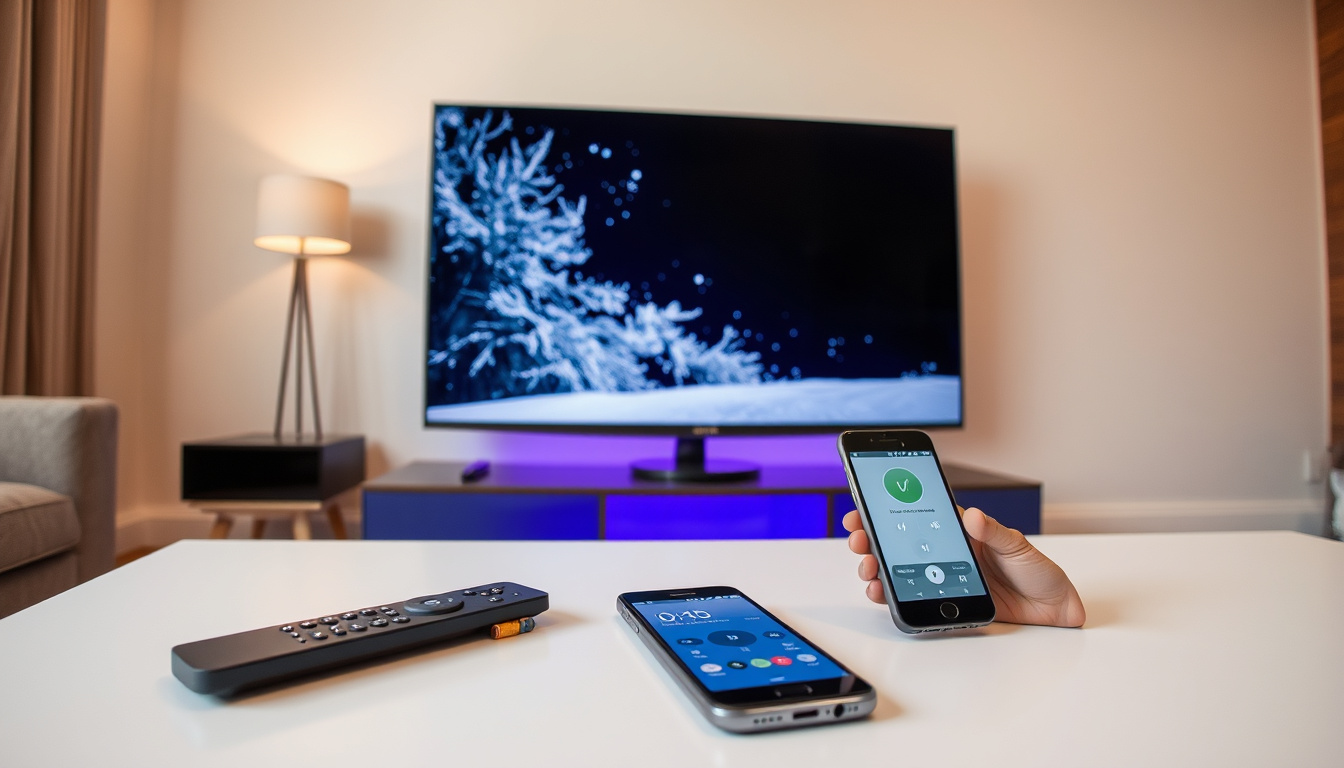

There’s a special kind of frustration that comes right before movie night: you reach for the remote, and it’s gone. Or worse, you find it—but the TV won’t budge. If you’re dealing with a Samsung TV remote that won’t cooperate, you have more options than you might think. This guide walks through official Samsung fixes, tested workarounds, and the phone apps that can step in when your physical remote truly gives up.
Universal compatibility: All Samsung TVs · SolarCell feature: No disposable batteries · Voice assistants: Bixby and Alexa · App shortcuts: 3 dedicated keys
Quick snapshot
- Power cycling the TV means unplugging for 30 seconds (Samsung Ireland Support)
- Smart Remote pairing uses Return + Play/Pause held for 3–5 seconds within 1 foot of TV (Samsung Ireland Support)
- Battery reset requires holding Power for 8 seconds after removing batteries (Samsung Latin Support)
- Exact availability windows for SmartThings app on older TV firmware generations
- Retail pricing for official replacement remotes in Ireland and EU markets
- Specific service center locations in Ireland for in-person warranty claims
- 2013: Smart Remote introduced with pairing button under battery cover
- 2016: Factory reset capability added for Smart Remotes
- 2021+: Solar Remote introduced with 10-second reset procedure
- SmartThings app remains the official phone-based backup for newer Samsung TVs
- Third-party universal remotes continue to expand model compatibility without codes
- Samsung Ireland directs warranty claims through official support channels
| Specification | Detail |
|---|---|
| Battery type | SolarCell (rechargeable) |
| Compatibility | All Samsung TVs |
| Voice support | Bixby, Alexa |
| Programming | No TV codes needed |
| App shortcuts | 3 keys |
Will any Samsung remote work on any Samsung TV?
Samsung produces several remote families—basic IR, Smart Remote, and Solar Remote—and compatibility depends on matching the right type to your TV model year.
Universal remotes
Third-party universal remotes designed for Samsung TVs generally work across all Samsung models without requiring programming codes. According to AirBeamTV’s troubleshooting guide, these universal options are pre-configured for Samsung’s signal protocols, meaning you can skip the manual code entry entirely. Amazon and electronics retailers stock these replacements, though checking model compatibility before purchase remains essential.
Model-specific pairing
Samsung Smart Remotes from 2016 onwards use Bluetooth pairing and can be factory reset by holding specific button combinations until the indicator light stops flashing. For the original 2013 Smart Remote, pairing requires pressing a dedicated pairing button located under the battery cover (Samsung Ireland Support). If your TV predates the Smart Remote era, you’ll need an IR remote pointed directly at the Samsung logo on the TV’s front panel.
Smart Remotes won’t pair with older non-Smart Samsung TVs—the Bluetooth handshake requires compatible firmware. For those sets, a basic IR remote or the TV’s physical power button under the Samsung logo are your fallback controls (Samsung US Support).
How do I fix my Samsung remote?
Samsung Ireland’s official support page identifies four common culprits: physical damage, battery issues, pairing problems, and infrared sensor failures. Working through these systematically resolves most no-response scenarios.
Battery replacement
The first step is obvious but often overlooked: swap the batteries. Samsung specifies alkaline batteries with correct polarity (+ and – aligned properly), and warns against mixing new and old cells. If your remote has no backlight or the TV ignores inputs, low batteries are the prime suspect (Samsung Ireland Support).
Pairing reset
For Smart Remotes, hold Return and Play/Pause simultaneously for 3 seconds while positioned within 1 foot of the TV. The LED indicator should blink to confirm pairing success. Samsung Latin Support verifies this 1-foot proximity requirement—standing farther away can cause the handshake to fail silently. For 2021+ Solar Remotes, the reset sequence changes: hold Return and Enter for 10 seconds instead.
IR versus Bluetooth
Traditional IR remotes work on line-of-sight: aim at the Samsung logo and the TV responds. Smart Remotes use Bluetooth, so obstacles don’t matter but pairing does. Samsung’s Universal Remote Setup menu must complete for full Smart Remote functionality, and turning off SmartThings new device notifications prevents the app from disrupting the IR signal (Samsung US Support). If buttons respond erratically, clean them—dirt under the rubber contacts causes phantom presses.
A 30-second power cycle—unplugging the TV completely—clears most software glitches before you assume the remote itself is dead. Samsung Ireland Support recommends this step as the default before any reset procedure.
Can I control my Samsung TV with my phone?
Yes, and for newer Samsung TVs the SmartThings app is Samsung’s official replacement when your physical remote fails. The app turns your smartphone into a fully functional remote, including voice control and channel navigation.
Samsung SmartThings app
The SmartThings app serves as a remote replacement for newer Samsung TVs and is available on both Android Play Store and Apple App Store. A YouTube troubleshooting walkthrough confirms the app works as an “easy to use replacement” for physical remotes on post-2016 models (Samsung TV Remote Not Working Fix). Full functionality requires installing the SmartThings app on your TV as well, though basic power and volume work without TV-side setup in most cases.
Pairing process
After downloading SmartThings, ensure your phone connects to the same Wi-Fi network as your TV. The app walks through device discovery automatically. Samsung US Support notes that registering devices on SmartThings can disrupt IR remote signals—an update addresses this, but disabling SmartThings new device notifications in the app settings prevents interference in the meantime.
When batteries die at 9 p.m. and no stores are open, your phone becomes a functional backup. SmartThings supports Bixby and Alexa voice commands through the app, giving you voice control without hunting for the physical remote.
Can you replace a Samsung smart TV remote?
Absolutely. Whether you need an exact replacement or a universal alternative, several paths lead to a working remote again.
Official options
Samsung’s spare parts page lists replacement remotes for purchase, and Ireland users with warranty coverage should contact Samsung Ireland support directly before buying. The Solar Remote, available on 2021+ TVs, uses a rechargeable solar panel on the back—no disposable batteries ever. If your remote is under warranty, Samsung Ireland directs warranty claims through official support channels rather than retail (Samsung Ireland Support).
Third-party alternatives
AirBeamTV offers a free trial of its Samsung TV remote app for both iOS and Android as a third-party fallback. Universal remotes from Amazon or electronics stores work across Samsung models without programming codes, though verifying model compatibility remains important before purchase. User manuals are downloadable from Samsung.com by entering your TV’s model number if you need reference material for button identification (Samsung Ireland Support).
| Remote type | Battery / Reset | Pairing method | Voice support |
|---|---|---|---|
| IR Remote | AA/AAA batteries | Line-of-sight, no pairing | None |
| Smart Remote (2016+) | Hold Power 8s without batteries | Return + Play/Pause for 3–5s | Bixby, Alexa |
| Solar Remote (2021+) | Solar rechargeable | Return + Enter for 10s | Bixby, Alexa |
| 2013 Smart Remote | AA batteries | Button under battery cover | None |
The implication: choosing between these remote types depends on your TV’s age—the 2013 and 2016+ Smart Remotes use fundamentally different pairing systems, and mixing them up wastes time.
What are the buttons on a Samsung smart remote?
Samsung’s Smart Remote consolidates traditional buttons into a streamlined design, but understanding each function helps you use it efficiently.
Voice control
The microphone button activates Bixby or Alexa depending on your TV settings. Hold it while speaking to search content, change inputs, or control smart home devices. Samsung US Support recommends keeping the microphone area clean—dust buildup can reduce voice recognition accuracy.
App shortcuts
Three dedicated keys provide one-touch access to Netflix, Prime Video, and Samsung TV Plus by default (customizable in settings). These keys work immediately without navigating through menus, which Samsung positions as a key differentiator from basic IR remotes.
Navigation
The circular directional pad handles menu navigation, while the central OK button confirms selections. Return goes back one level, Home launches the main menu, and Play/Pause controls streaming content. The solar panel on the back of 2021+ remotes keeps the internal battery topped up in ambient light, eliminating the need to hunt for replacement batteries.
The Solar Remote’s reset procedure (Return + Enter for 10 seconds) differs from older Smart Remotes—holding the wrong combination won’t trigger a factory reset and can confuse the pairing. Samsung US Support documents this distinction explicitly for 2021+ models.
Upsides
- SmartThings app is free and works on any modern smartphone
- Solar Remote eliminates disposable battery costs entirely
- Smart Remote factory reset (2016+) fixes most pairing drift issues
- Universal third-party remotes require no programming codes
- TV power button under the Samsung logo provides analog fallback
Downsides
- SmartThings requires Wi-Fi and same-network connection to work
- Older non-Smart Samsung TVs lack Bluetooth remote compatibility
- SmartThings registration can temporarily disrupt IR remote signals
- Third-party remotes lack official Samsung warranty coverage
- Solar Remote reset timing (10 seconds) differs from standard Smart Remotes
Step-by-step troubleshooting
A systematic approach covers the most common failure modes before escalating to replacement options.
Quick fixes before replacing
- Replace batteries with fresh alkaline cells, matching + and – polarity
- Check the IR light: aim remote at a phone camera—if no purple glow appears, batteries are dead or the remote is broken
- Power cycle the TV by unplugging for 30 seconds, then test the remote again
- Clean button surfaces if buttons respond erratically
Smart Remote pairing reset
- Stand within 1 foot of the TV with direct line of sight
- Hold Return and Play/Pause for 3 seconds (or 5 seconds on some models)
- Watch for LED indicator blinking—pairing success triggers visual confirmation
- If pairing fails, reset again: remove batteries, hold Power for 8 seconds, reinstall batteries
When all else fails
- Download SmartThings app as temporary remote backup
- Use TV power button under Samsung logo for basic control
- Contact Samsung Ireland support for warranty replacement if applicable
- Purchase universal replacement remote if out of warranty and SmartThings unavailable
“The most common are physical damage, battery issues, pairing issues, or issues with the infrared sensor on the remote or TV.”
— Samsung Ireland Support (Official Support)
“You can use the Samsung SmartThings app which is an easy to use replacement—it’s only available on the newer Samsung TVs.”
— Video Walkthrough (YouTube Expert)
“After registering devices on the SmartThings app, it disrupts the IR signal for the TV remote, causing it to not respond properly. An update is coming.”
— Samsung US Support (Official Support)
Related reading: Apple Pencil 2 Compatibility Guide · 5G Home Internet Guide
For users in Australia needing replacements, the Australian Samsung TV remote guide outlines genuine models and universal alternatives from local retailers.
Frequently asked questions
How do I pair my phone to a Samsung TV?
Download the SmartThings app from Google Play Store or Apple App Store, connect your phone to the same Wi-Fi network as your TV, and the app will discover your Samsung TV automatically. Follow the on-screen prompts to complete pairing.
Can I use my smartphone as a remote for my TV?
Yes. The SmartThings app turns any modern smartphone into a full remote replacement for Samsung TVs, including power, volume, channel navigation, and voice control through Bixby or Alexa.
Which app replaces a Samsung TV remote?
SmartThings is Samsung’s official app for newer Samsung TVs, providing full remote functionality including voice control through Bixby and Alexa. AirBeamTV offers a third-party alternative with a free trial for both iOS and Android.
How do I use my Samsung TV remote?
For basic IR remotes, point at the Samsung logo on the TV. For Smart Remotes, press and hold Return and Play/Pause within 1 foot of the TV to pair via Bluetooth, then use the directional pad and voice button for navigation and voice commands.
What are the functions of TV remote buttons?
The Smart Remote includes power, volume, mute, channel, directional pad, OK, Return, Home, play/pause, and a dedicated microphone for voice commands. Three app shortcut buttons open Netflix, Prime Video, and Samsung TV Plus directly.
What is the average lifespan of a Samsung smart TV?
Samsung estimates smart TV hardware lifespan at approximately 7–10 years with regular use, though remotes typically last 3–5 years depending on battery care and handling. The Solar Remote’s rechargeable battery design extends practical remote lifespan by eliminating disposable battery degradation.
Where to buy Samsung TV remote in Ireland?
Official replacements are available through Samsung’s spare parts page, and warranty claims route through Samsung Ireland support. For out-of-warranty purchases, Amazon and electronics retailers stock both official Samsung remotes and compatible third-party universal models.

Grace Campbell leads fact-checking, source verification and corrections at Australia Pulse.